
Delivering a product to the market usually includes testing. It is done to ensure that software or application behaves according to the technical requirements and does not contain bugs.
There are two types of testing you can choose for your project: manual and automation testing. In this post, we are going to talk about the differences between them and how to select the type that suits your project best.
What is manual testing?
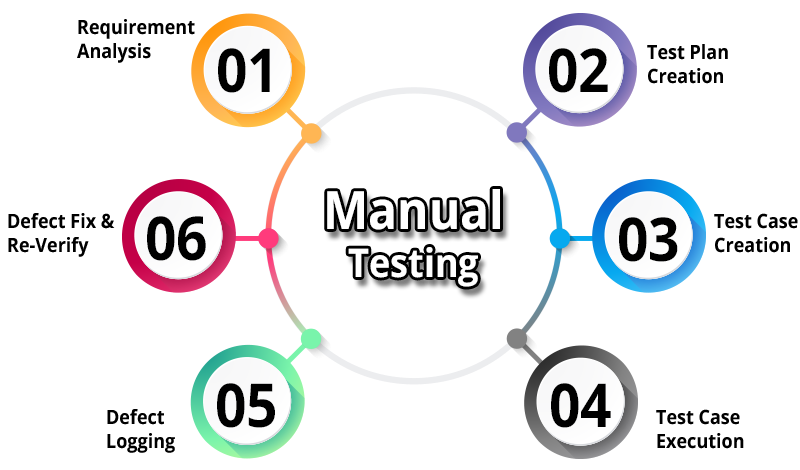
First of all, let us clarify what manual testing is. This is the procedure of checking that everything in the program works as planned that requires prepared specialists. They click links and input values into fields, verify outputs, and press buttons manually. Their job is to find bugs or other issues and report them in a way so that software developers could find and fix them.
Types of manual testing
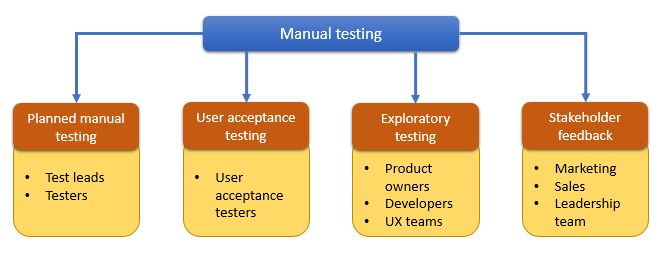
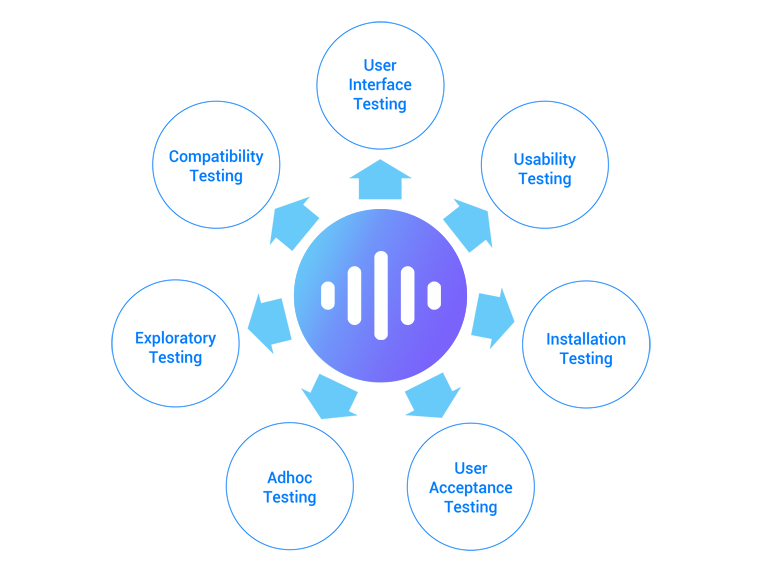
There are several types of manual testing that you might need for your project:
- Exploratory testing. In simple terms, exploratory testing is when the development and execution of tests happen at the same time. A tester doesn’t have a predefined script and carries out the procedure without strict accordance with a plan. For example, it is up to the tester to decide what details in the program functionality allow to say that it works incorrectly or choose the speed of filling in the forms. Exploratory testing is all about discovery, where the creative intuition of the tester plays a crucial role.
- Ad-hoc testing. The previous type of testing is often confused with ad-hoc testing. Ad hoc is improvisation, spontaneous search for errors. It is done without planning and documentation and can be applied for both research and commercial projects.
- Usability testing. Usability testing checks whether the product is convenient to interact with. It is essential to conduct usability testing at every stage of development to see how real users will perceive your product. During the experiment, a test group is asked to complete typical tasks to see whether the product behaves according to their needs and expectations.
- User acceptance testing. User Acceptance Testing (UAT) is conducted by the end users of the system to make a decision whether the product is ready to be launched. It checks whether the system works according to the user scenarios. This is the final stage of testing. The UAT should happen with real users, the stakeholders don’t fit in this group. The process of getting approval from the client is called stakeholder feedback.
As you can see, manual testing can be applied to a wide range of cases. Now let us see where exactly it is the most beneficial.
The benefits of manual testing
| Pros | Cons |
| easy hiring (anyone can test) | may not detect all defects |
| versatile, can be applied to many test cases | for complex cases demand high expertise |
| close to real user feedback | takes a lot of time |
| flexible, easily adapts to changes in the UI | lower quality in case of large volume tests |
| demands almost zero investments | not reusable |
Manual testing is a classical approach to software quality assurance. However, there are cases when human presence strongly outperforms scripted testing:
Costs-efficiency
In the short run, manual testing is less expensive and more cost-efficient. The threshold of this profession is low. Companies can hire beginners and train them in a small amount of time. Almost anyone can become a manual tester. With this kind of testing, you don’t have to invest in expensive software and a team of qualified software developers to get good results.
Versatility
Human judgment and intuition allow checking the components of the software that require expertise a computer cannot provide. In difficult cases, humans do much better than machines.
Real user feedback
Automation testing has many benefits, but there are some areas where they become useless. Human expertise is valuable to provide real feedback about the usability and convenience of the user interface. You can get the opinion about the product approximate to one of the users if you attract testers to the process.
The disadvantages of manual testing
There are cases when manual testing has some drawbacks. In some situations, you will have to assess the pros and cons of each testing approach and choose the more cost-efficient one.
Human factor
This is the reason why automation testing appeared in the first place. The chance of error or not finding bugs is higher when you’re working with people. They might be biased, tired, or unqualified. You need to invest in the development of your personnel or look for qualified specialists if you want to be sure of your software quality.
Limitation in volume
In case you need to test a large-scale software system, manual testers will not be able to deal with such volumes. You can expand your team and hire more manual testers. However, if we are talking about products that are comparable to a federal healthcare system or aircraft control systems, it is more cost-efficient to automate at least part of your tests.
Time-consuming
If you only use manual testing for all quality assurance work, it might take a lot of time. The employees will have to check every element and report problems, which takes more time than just running a script.
What is automated testing?
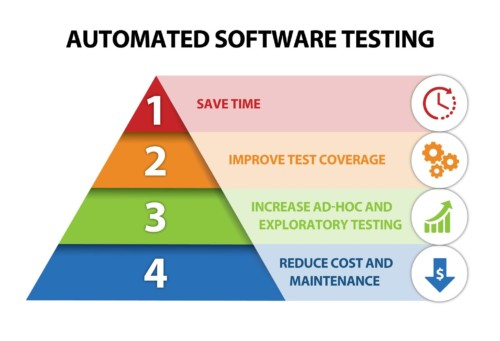
Now let us see what we understand by automation testing.
Unlike manual testing, it happens with the help of some programs called scripts. They conduct the validation of programs automatically and do not require manual control. However, they imitate the manual way of validating applications. Their goal is to make sure that test execution is completed in a minimal amount of time.
Automation testing needs software programmers to work on the project. They write the tests suitable for a particular project and monitor its execution.
Types of automated testing
Here are some common types of automation testing:
- Data-driven testing. A data-driven approach to testing implies that the test data is stored separately from scripts in a database or Excel file. Imagine that you need to create ten different records with the help of your test application, i.e., perform the same actions ten times but with different data. You can put the data in an array or a separate file. The second approach is very convenient: all the data is stored in one place. When you need to use it, you simply switch between different data, rather than search for it in the project file.
- Load testing. Load testing is done to check whether the system behaves normally under both normal and peak load conditions. You can use it to find out the maximum operating capacity of your system and eliminate any bottlenecks and problems in the early stages.
- Performance testing. Performance testing is conducted to check the speed of response and stability of a website or application. It also allows you to access essential parameters like usability and scalability.
- Regression testing is software testing when you select some or all the test cases that were already performed and perform them again to make sure that works fine.
The pros of automation testing
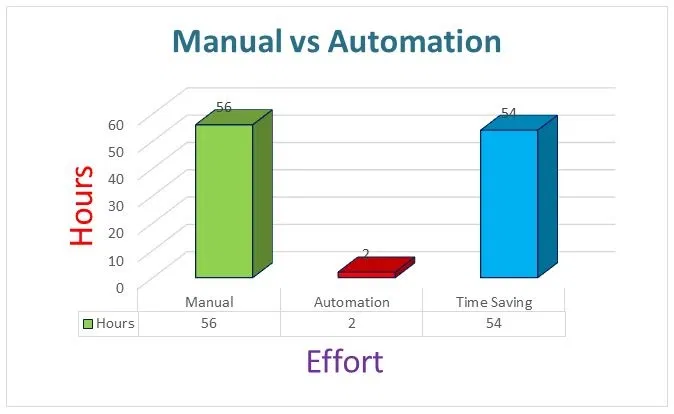
Automation testing provides many benefits that are important for software development companies and their clients.
Speed
Automated software testing allows us to perform testing faster and check larger volumes of data. One script can do the work of multiple manual testers in one working day. When you need to deliver the product to the market as fast as possible (for example, in the conditions of high competitiveness), automation testing is your best choice.
Accuracy and reliability
Automation testing software that was written by professional doesn’t miss bugs and reports all issues in a way that is easy to find. Human testers might be inattentive or limited in knowledge. However, the algorithm will always behave according to strict requirements. From this point of view, you can say that automated testing is more accurate because it allows finding standard bugs easier and not to miss a thing.
Reusability
It is possible to use the same testing scripts on different software or software components with no (or almost no) alterations. Automation software requires investments of time and money at the beginning but, in the long run, has hired reusability than manual testing.
Effectiveness for large-scale applications
As we have mentioned above, the software allows testing data of larger volume while there is a limit to human possibilities.
The cons of automation testing
There are two major disadvantages of working with automation testing:
Lack of flexibility
Tests should be entirely changed if there was a change in user interfaces. Humans are flexible; however, if you want to get accurate results after introducing changes to the interface, rework the script.
Lack of creativity
Automation doesn’t work well with nontrivial problems. Some problems are too complicated to script and require human interference.
Manual vs Automation testing: what to choose?
The moral is that every approach to testing has both strong and weak points.
| Factor | Manual testing | Automation testing |
| Costs | Cheaper in the short run | Cost-efficient in the long run |
| Accuracy | Can be less accurate and error-prone due to human factor | Scripts allow to more accurately detect and track bugs |
| Speed | More time-consuming | Fast and ideal for repeated testing/ large-volume testing |
| Area of use | Works for non-trivial issues where human expertise is required | Does not guarantee high-quality user experience |
| Resources | Focus on human resources | Focus on automation |
| Flexibility | Very flexible and can be used in a wide variety of cases | Might not be effective when there are changes in the interface (requires changes in the script) |
When go for automated testing
Automation testing provides high reliability and accuracy. It allows us to test software systems of any volume, and we cannot go without it when working on large projects. Automation testing is an excellent solution to streamline the time to delivery without compromising on quality.
However, you will never be able to automate every task.
When you need manual testing
Manual testing shines when you need to work on a wide variety of situations. For complicated cases and usability testing, human participation will always be required.
Summing up
In this post, we’ve covered the pluses and minuses of manual and automation testing and discussed the cases when each of them works best. Stay tuned to our blog for more mind-blowing materials from the world of software quality assurance.
—
If you are looking for qualified software testers who are proficient at both kinds of testing, contact us. We will analyze your case and propose testing strategies that suit your situation.